
Hours × price
The exact time parked is charged. Elif's standard formula for time-based items.
input.hours.Value * input.item_price_with_tax.Value2 h 30 m at 200 ALL/hour500.00 ALL
Elif parking software · in the Elif mobile app and in Elif Desktop
Print a barcode ticket at the entrance, scan it at the exit, and the invoice is ready with the amount worked out. It keeps working when the internet drops.
Part of the Elif app for Android and iOS and of Elif Desktop for Windows. A phone with a Bluetooth printer is enough, or the booth computer with its own printer.
How it works
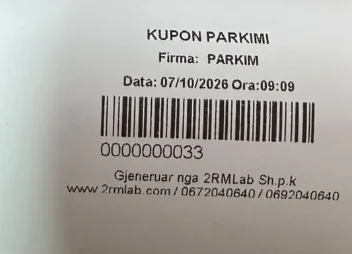
Tap “New ticket”. The entry time is saved and the Bluetooth printer prints the parking ticket with its barcode.
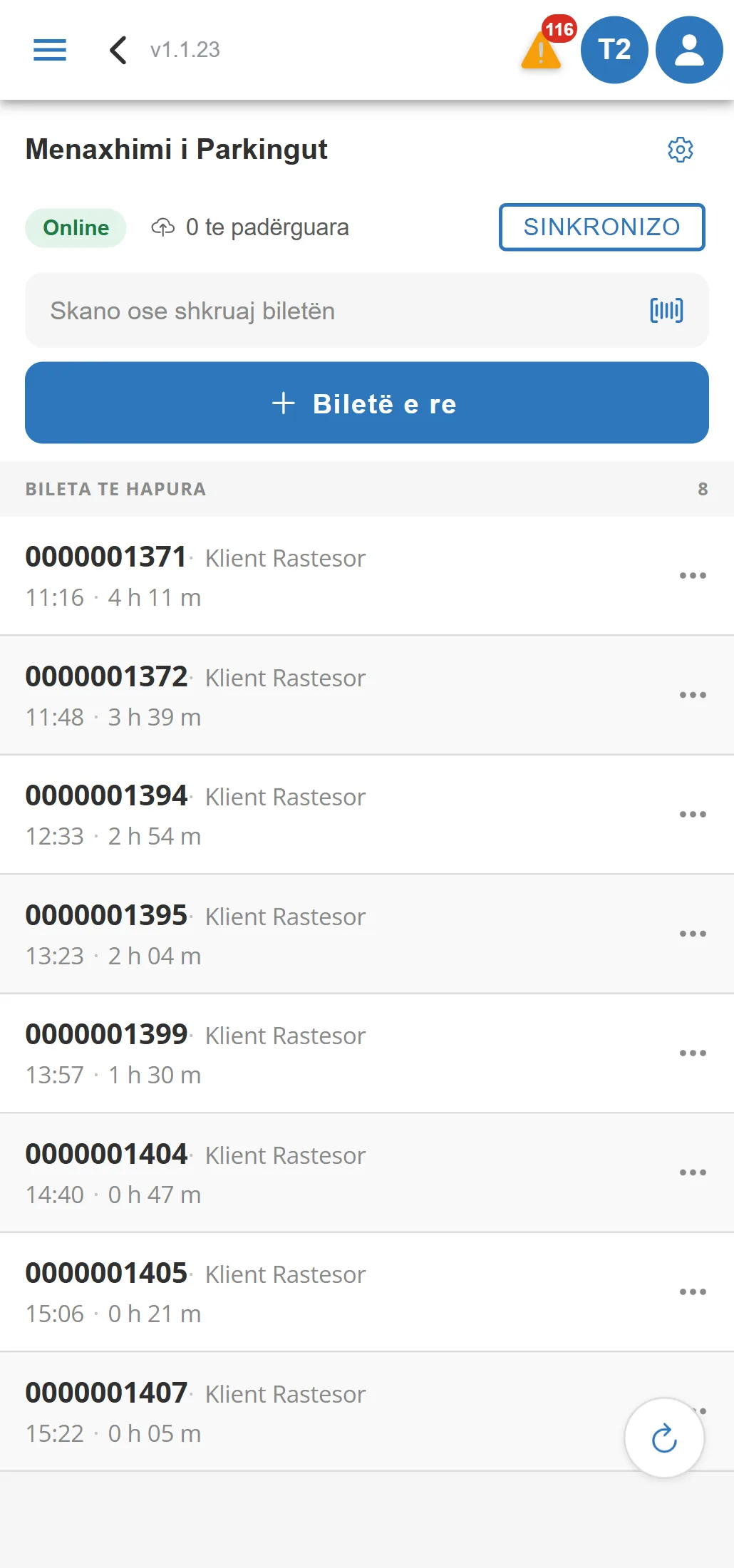
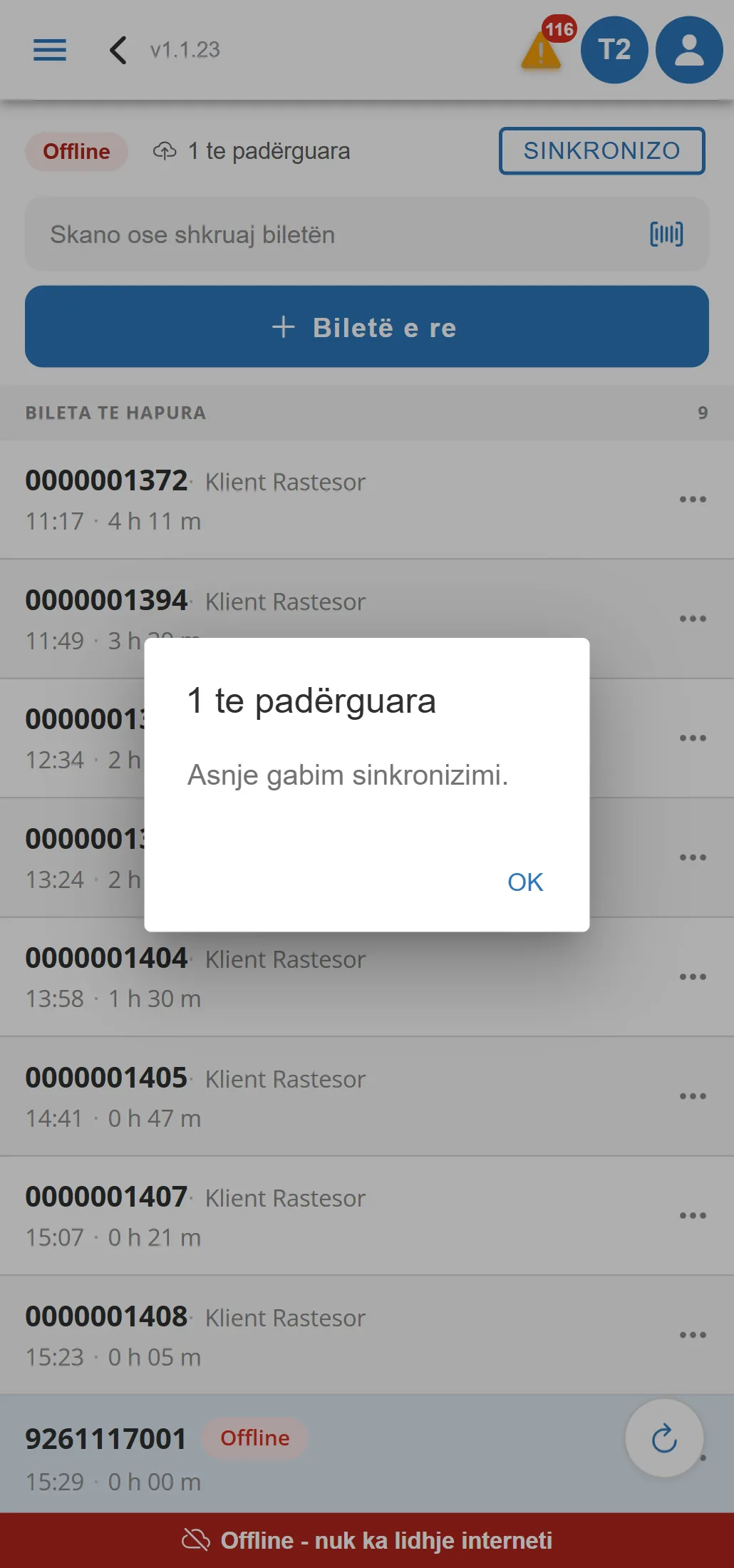
The ticket appears in the list of open tickets, with its entry time and a duration that keeps counting.
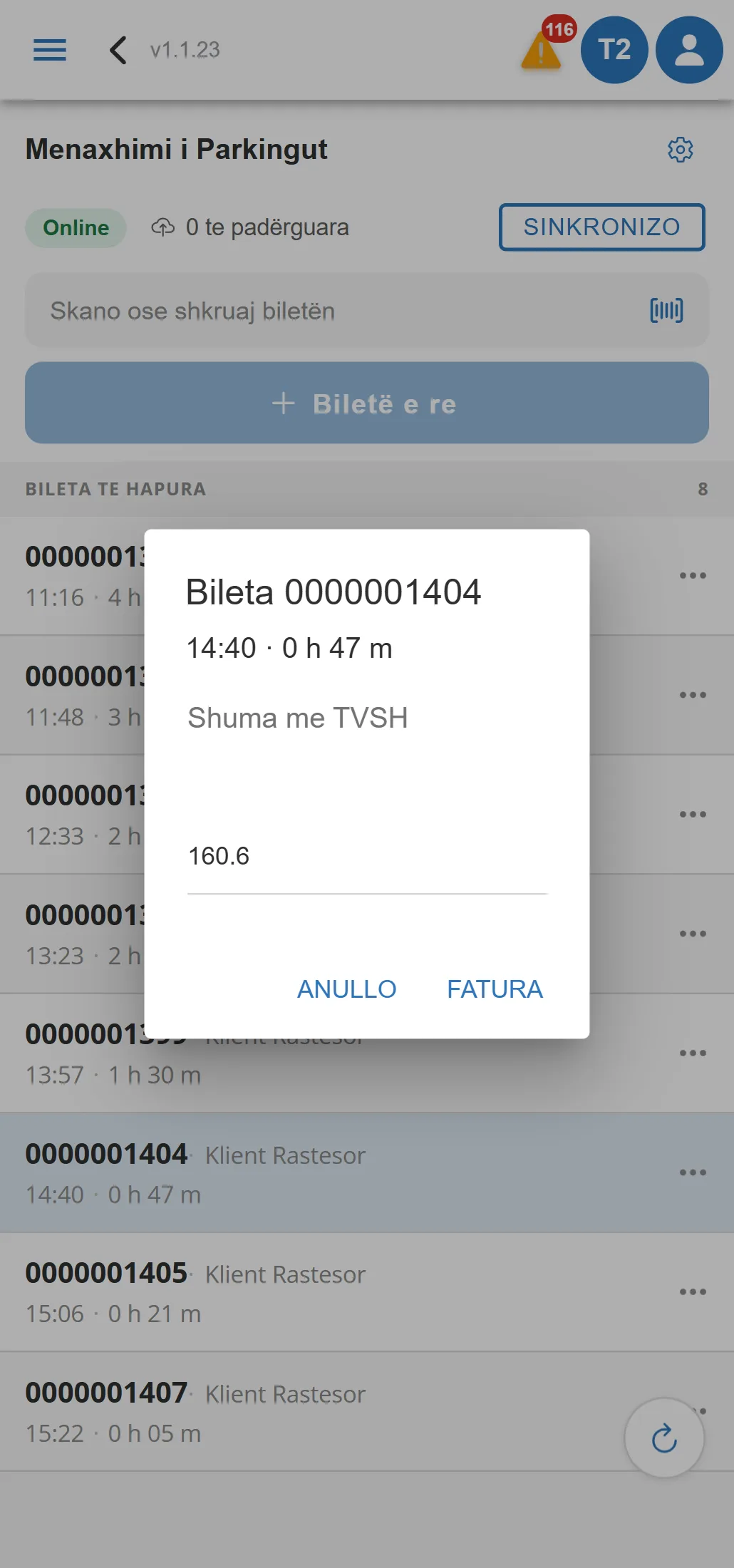
Scan the barcode with the camera or a scanner. The app finds the ticket and proposes the amount to pay.
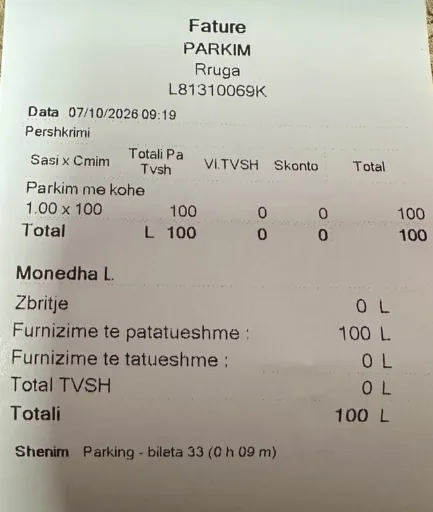
Confirm the amount: the sales invoice is created, fiscalized and printed. The ticket leaves the list.
Features
Every car in the car park, with its ticket number, entry time and how long it has stayed.
The amount comes from the item's formula or hours × price. The cashier can change it.
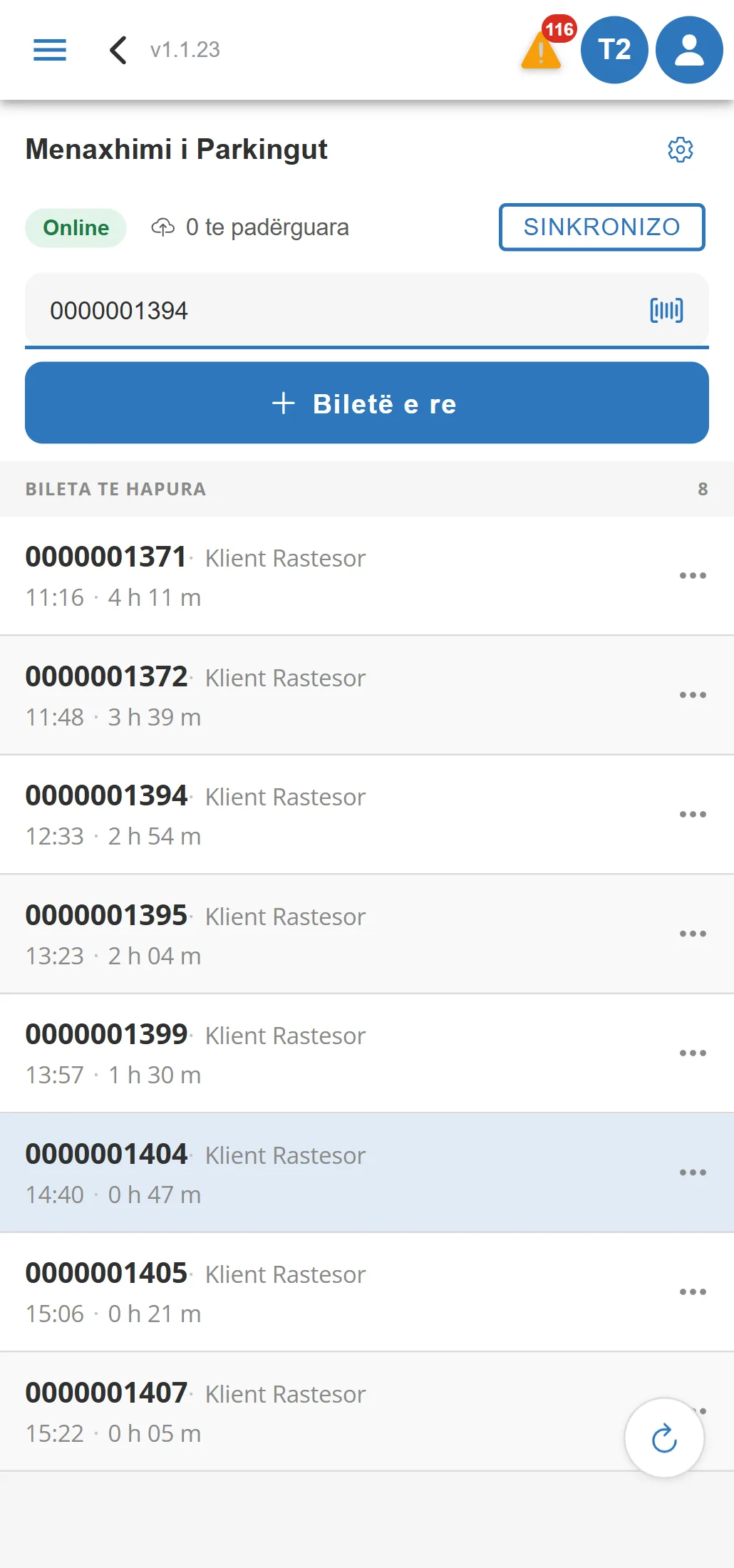
With the phone camera, a scanner, or by typing the number. The exit opens straight away.
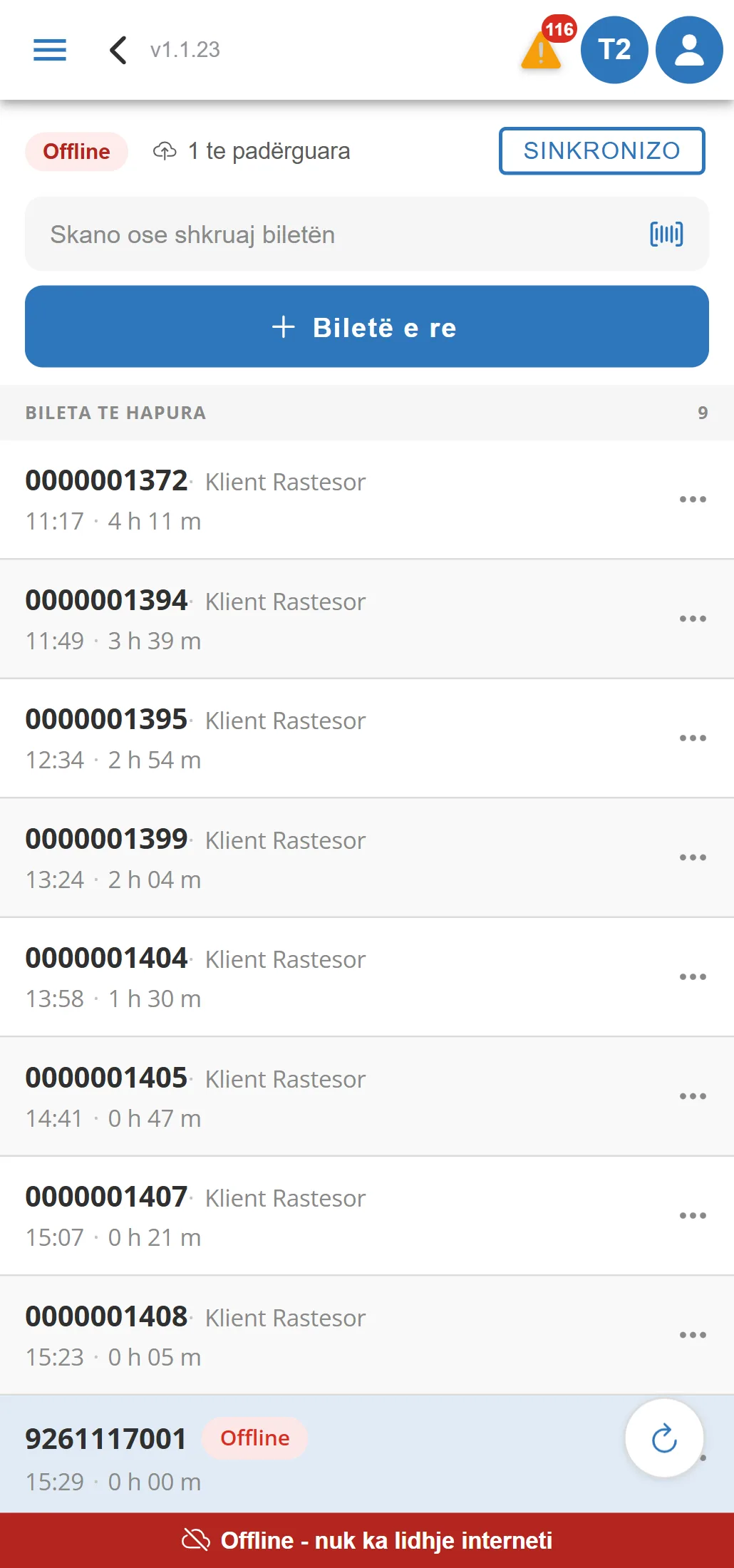
Tickets and invoices are kept on the phone and sent to the server when the connection returns.
Elif Desktop
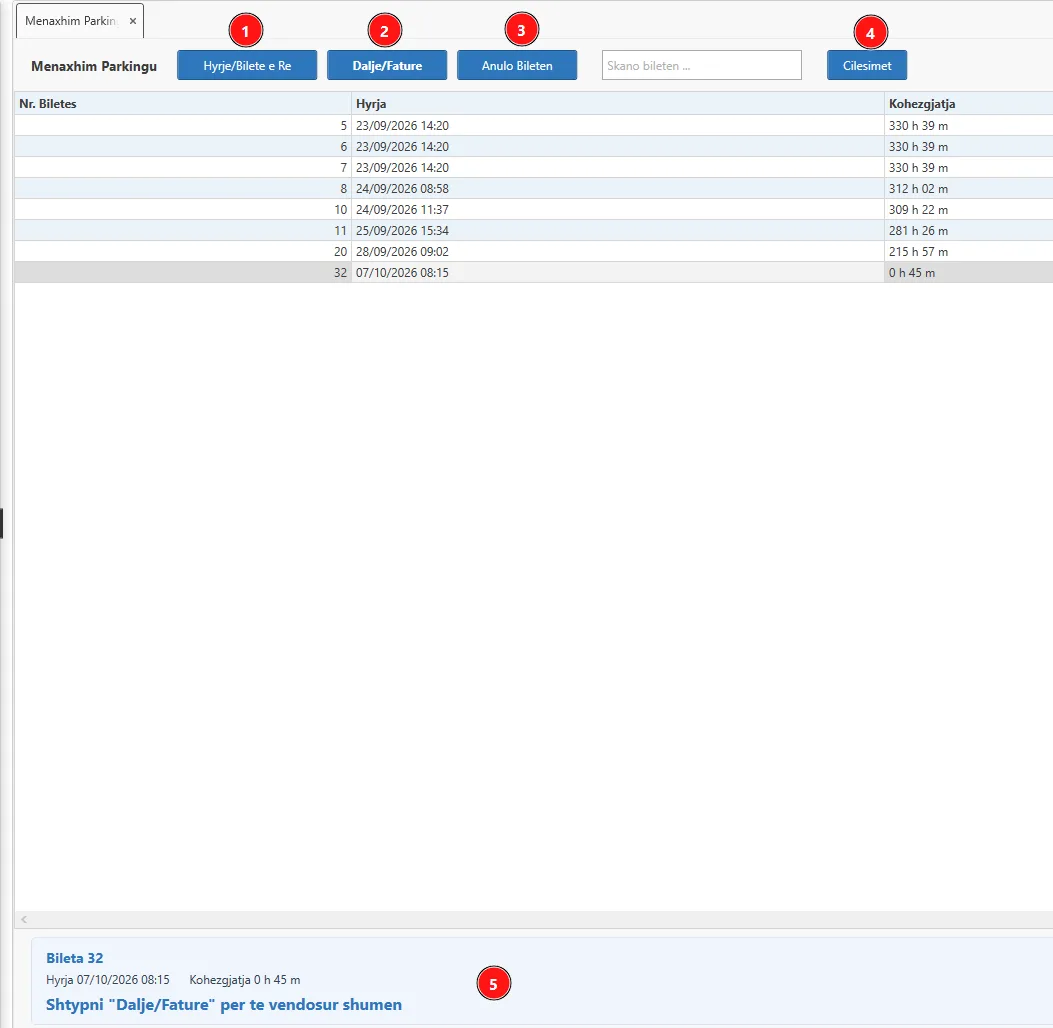
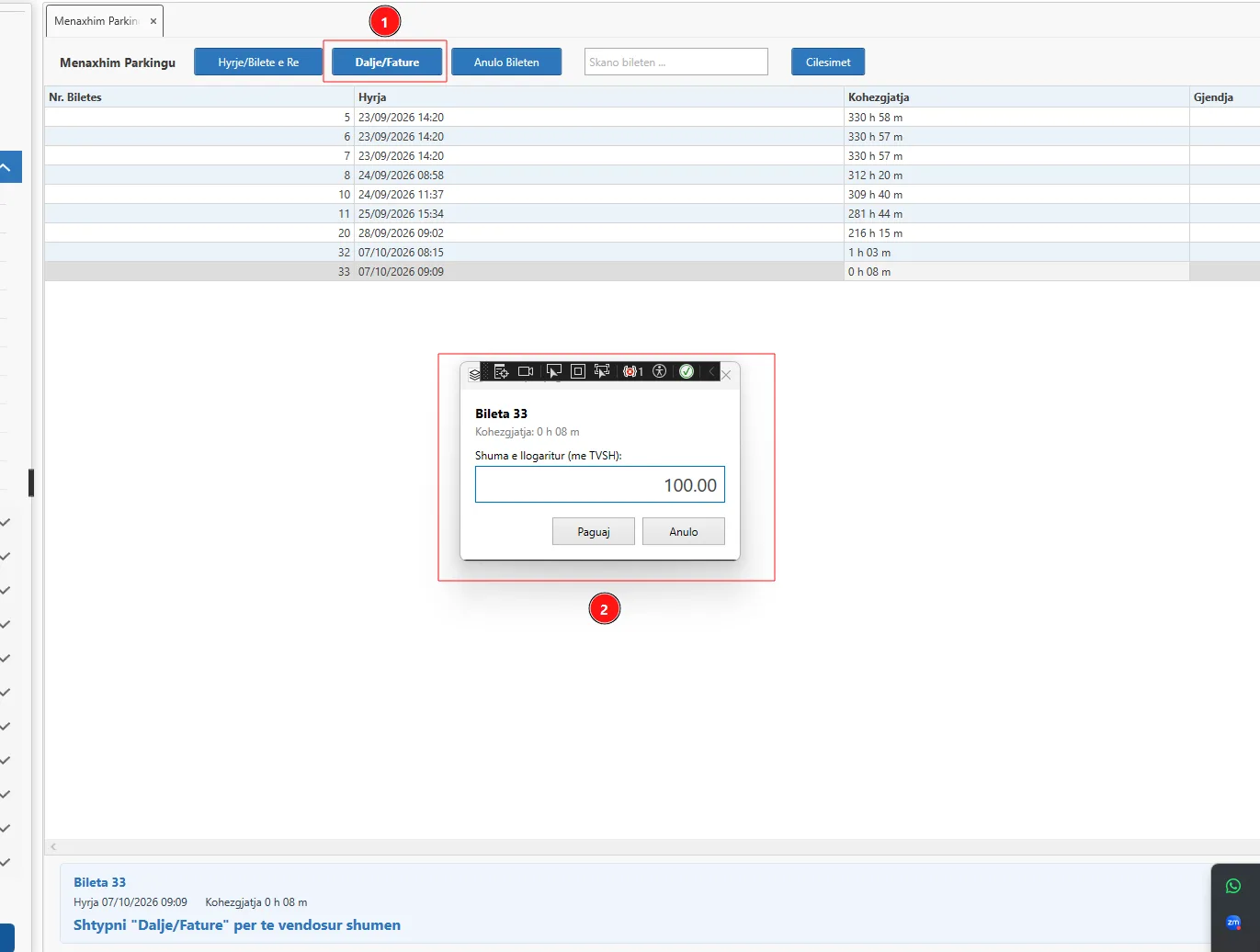
The same parking works in Elif Desktop, in the Parking Management form: a ticket at entry, a scan at exit, the amount from the formula and the invoice printed from the desktop’s reports.
Live demo
The demo has the app's parking screen, a printer and the settings. It all runs in your browser and nothing is sent.
KUPON PARKIMI
Firma: PARKIM DEMO SH.P.K
Data: 17/11/2026 Ora:09:42
0000001251
Gjeneruar nga 2RMLab Sh.p.k
elif.com.al / 04 45 26000
Offline
The app notices by itself when there is no connection to the server and carries on working on the phone. No ticket is lost.
Price calculation
The exit amount comes from the hours parked and the parking item's price with VAT. If the item has a formula, the formula is used: the same formula Elif uses, set up once and valid offline too.
The exact time parked is charged. Elif's standard formula for time-based items.
input.hours.Value * input.item_price_with_tax.Value2 h 30 m at 200 ALL/hour500.00 ALL
The example from the Elif documentation: the first hour at full price, every hour after it with a 10% discount.
input.hours <= 1 ? input.hours * input.item_price_with_tax : (1 * input.item_price_with_tax) + ((input.hours - 1) * input.item_price_with_tax * 0.9)2 h 30 m at 200 ALL/hour470.00 ALL
A started hour is charged in full: 2 hours 10 minutes are charged as 3 hours.
Math.Ceiling(input.hours.Value) * input.item_price_with_tax.Value2 h 30 m at 200 ALL/hour600.00 ALL
Who it is for
FAQ
Elif Parking is the parking management software inside the Elif mobile app and Elif Desktop. It records cars entering and leaving, prints the barcode ticket, works out the amount, issues the fiscalized invoice and keeps working offline. It is used in public car parks, hotels, restaurants, shopping centres and any business with parking.
An Android phone or iPhone with the Elif app and an 80 mm or 54 mm Bluetooth thermal printer. Parking opens from the menu Sales → Parking Management. In a booth with a computer, the same parking also runs in Elif Desktop.
From the hours parked and the parking item's price with VAT. If the item is a “Calculated item” with a formula, the formula is used. The cashier sees the amount before the invoice and can change it.
Work carries on. Tickets and invoices are kept on the phone, printed as usual and sent to the server by themselves when the connection returns. Price formulas work offline too.
With the phone camera, with a barcode scanner connected to the phone, or by typing the ticket number and pressing Enter.
Yes. The parking invoice is a normal Elif sales invoice. If it is not fiscalized straight away, you can fiscalize it later from the list of unfiscalized invoices.
Yes. Each parking item has its own price and formula, and in the parking settings you choose which one the phone uses. A ticket keeps the item and price it was opened with.
Parking tickets are sales orders, so the menu shows for users who have access to sales orders.